
Speak any language. Type in yours.
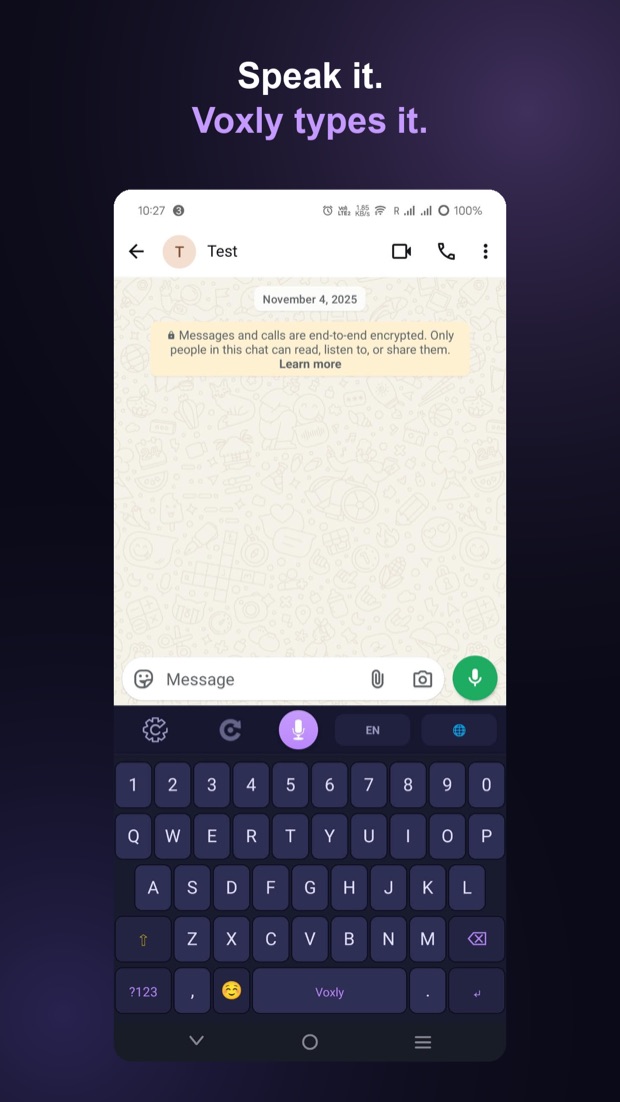
Voxly is a keyboard you can talk to. Hold the mic, say what you mean, and it types it into whatever app you are already in. WhatsApp, Gmail, Instagram, Messages, anything you can type in. No copying, no switching apps.
Android 12 or newer, and a microphone.
What it does
Everything below is in the app today. Nothing here is planned or coming soon.
Say it in one language, send it in another
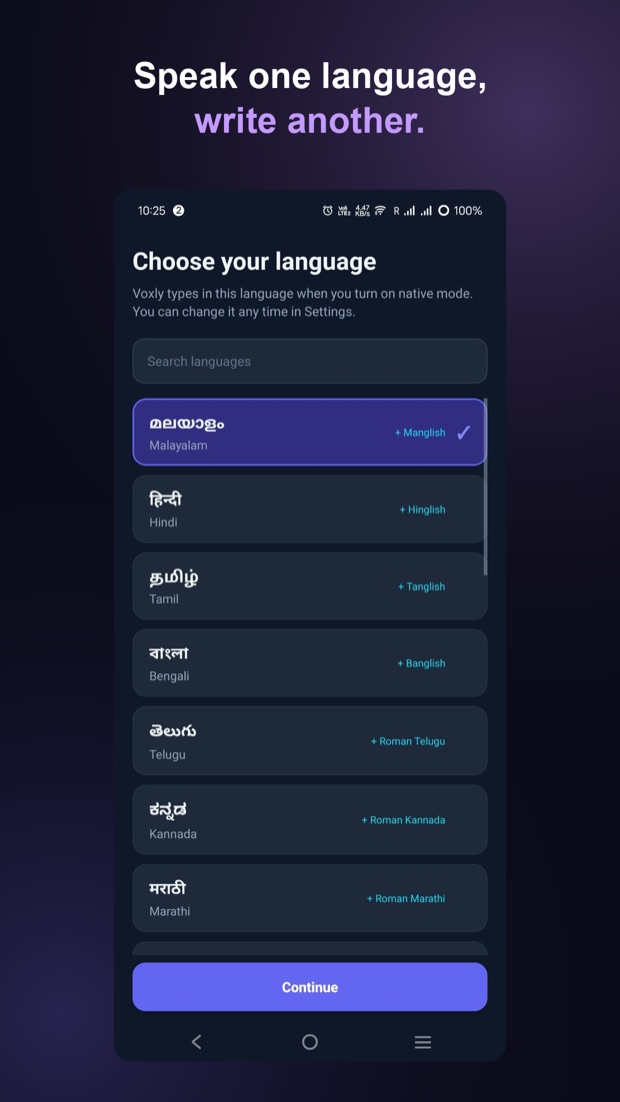
Say it in Malayalam and send it in Danish. Say it in Hindi and send it in English. You choose the language that comes out, and Voxly writes it there, in the app you are typing in. 22 languages to choose from.
You always know what you sent
When Voxly writes in a language you cannot read, it first shows you what the message says in English. You send knowing what you sent.
Plain English, or how you actually text
Voxly writes plain, direct English by default, which is what you want for work messages and email. Tap once for Gen Z mode and it rewrites the same words the way people actually text.
Slide across the letters
Slide your finger across the keys and Voxly works out the word. Lift off and it is typed, with the next best guesses waiting above the keys in case it picked the wrong one. Available on the English keyboard.
Real keyboards, not menus
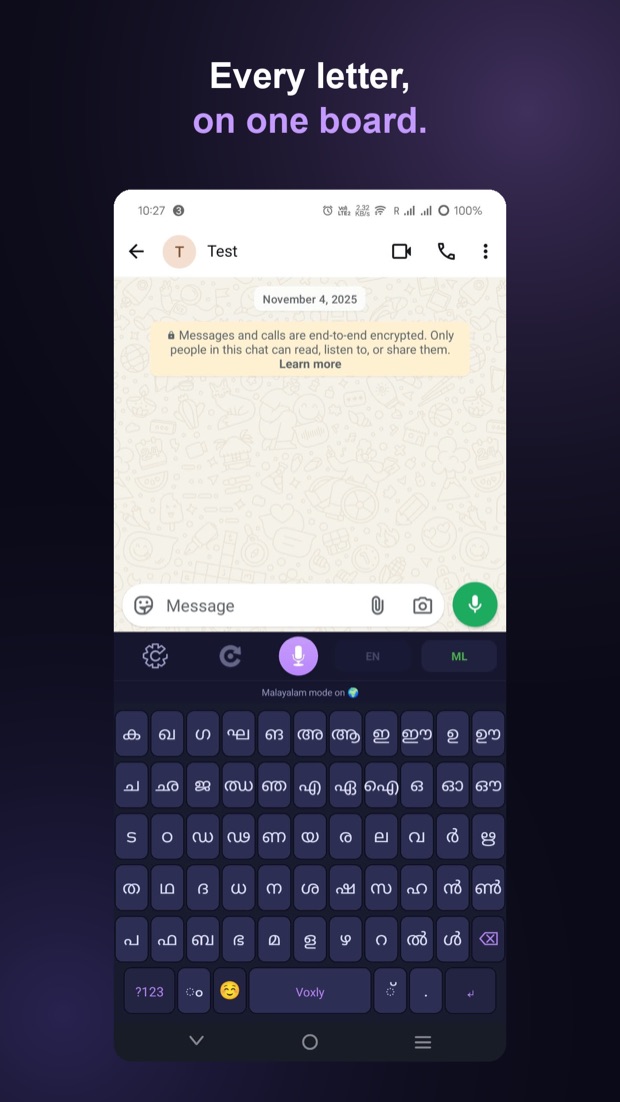
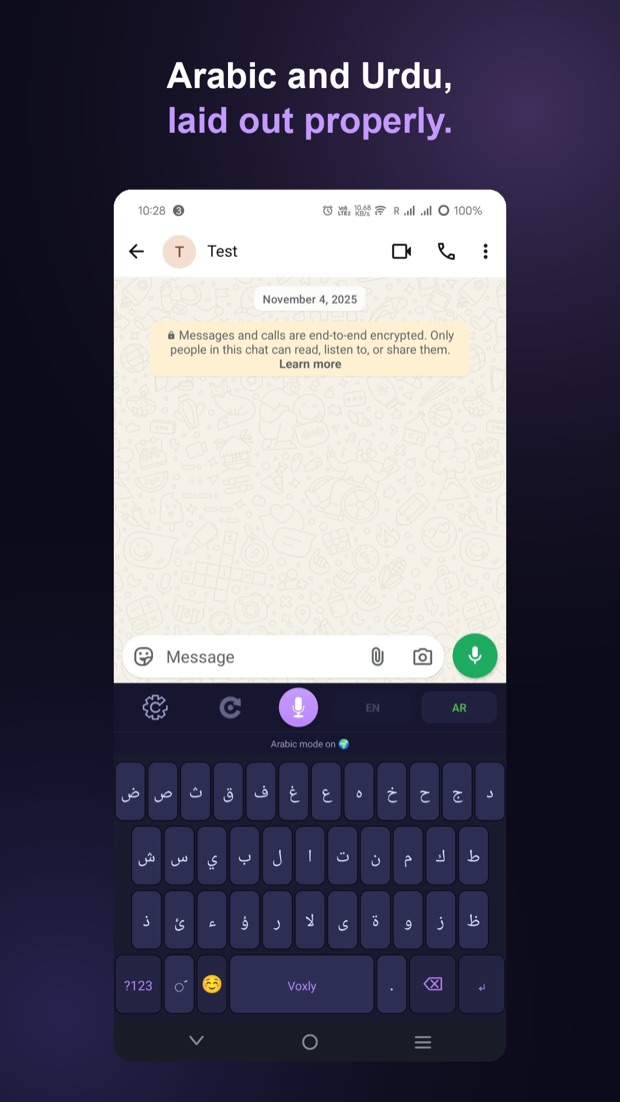
Full boards for Malayalam, Hindi, Marathi, Nepali, Bengali, Punjabi, Gujarati, Telugu, Kannada, Arabic and Urdu. Every letter is on the board, in the order you learned the alphabet, so you are not hunting for a letter you can already picture.
The board shows what it is about to type
On the Indian scripts, tap a consonant and the vowel keys change to show the vowel signs that go with it. The key you are looking at is always the character you will get.
No idea where the letters are?
Type in English letters and Voxly offers you the script. Type “onnu” and it offers ഒന്ന്. It suggests real words rather than converting letter by letter. What you typed stays in the message unless you tap a suggestion.
å, æ, ø, ä and ö are keys
Danish, Norwegian and Swedish get their own letters on the board, not something you hold another key down to find.
It learns your words, quietly
Voxly picks up the words you actually type, including words in your own language that are in no dictionary anywhere. It never rewrites a word behind your back. Suggestions are offered, and applied only when you tap one.
Both built in, nothing to install
The full emoji set with skin tones and a recents row, plus GIF search, without ever leaving the keyboard or switching to another app.
Make it yours
The keyboard you look at all day should not be someone else's idea of nice.
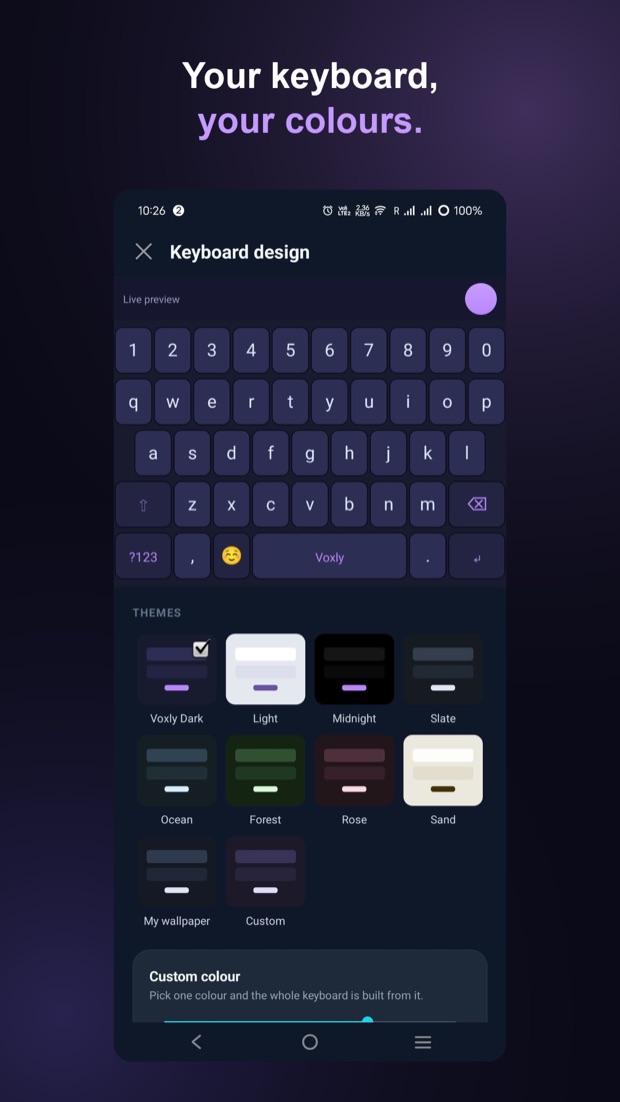
Pick one of the ready-made themes, or build your own from a single colour and let Voxly work out the rest of the palette so the letters stay readable.
Then set the key shape, the key height and whether keys have borders. Everything applies instantly, on a live preview of the real keyboard, so there is no saving and no guessing.
22 languages
Every one of these works with the mic: speak, and Voxly writes in the language you picked. Eleven of them also have a full keyboard in their own script.
With a full script keyboard
- Malayalam
- Hindi
- Marathi
- Nepali
- Bengali
- Punjabi
- Gujarati
- Telugu
- Kannada
- Arabic
- Urdu
With their own letters on the board
- Danish
- Norwegian
- Swedish
å, æ, ø, ä and ö are keys, not something you hold another key to find.
Speak it, and Voxly writes it
- English
- Tamil
- German
- Dutch
- Spanish
- French
- Polish
- Romanian
These use the standard Latin keyboard for typing. Tamil is spoken and written by voice; it does not have a script keyboard yet.
How credits work
Typing is free. Only voice messages use credits.
- 1 credit is 1 voice message
- 15 free credits when you sign in
- Top up with a one-time credit pack, no subscription
- Typing, swiping, emoji, GIFs and every keyboard cost nothing
Your privacy
The short version. The full detail is in the privacy policy, and these bullets mirror it sentence for sentence.
Your voice is not kept
It is sent over an encrypted connection and the recording is deleted as soon as your text is ready. It is never stored.
What you type stays on your phone
The one exception is a word typed into GIF search, which has to be sent to find results.
Your text is never logged
The text Voxly produces is never saved or logged on our side.
Leave whenever you like
Delete your account from inside the app, any time. Deletion is immediate. How to delete your account.
Getting started
Four steps. The third one is the part people miss, because Android needs a keyboard switched on before any app can use it.
- Sign in with Google
- Choose the language you want to write in
- Turn Voxly on in your keyboard settings
- Tap the mic in any app and speak